Floor plan and editor Partly live
Your own office, not a generic one.
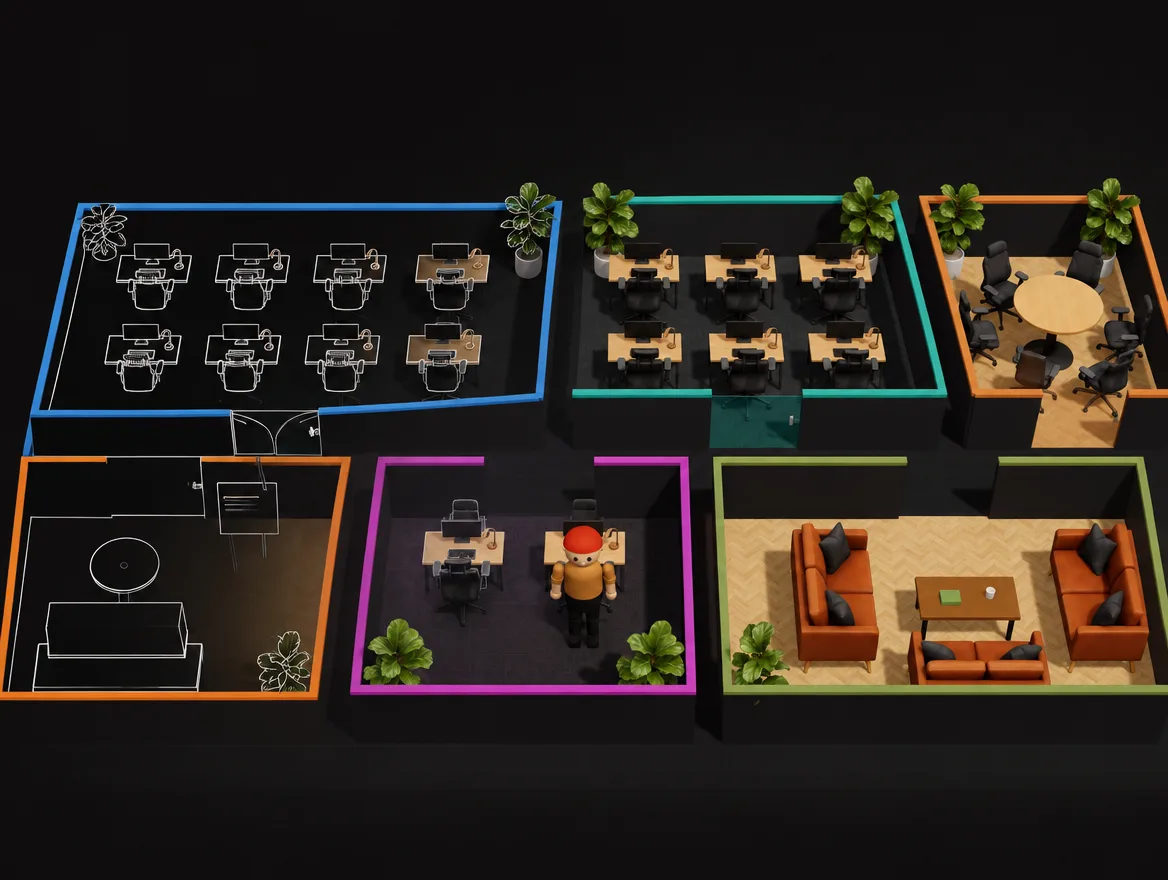
Start with a ready-made layout or trace your office over your real floor plan. Rooms, desks, doors and who can go where: you decide.
Why it works
Within two minutes
Pick a starter layout (Small team, Team + meetings or Office + workshop) and you’re in your office straight away.
Exactly like the real thing
Put your floor plan underneath and trace over it.
Change it anytime
Move, resize, rename or recolour rooms.
How it works
- Pick a starter layout when you create your company.
- Open Edit office and optionally add your floor plan underneath.
- Draw rooms, set each room’s type, talk mode and access, and place desks.
Good to know
- Company admins lay out their own office; the shared building belongs to the building manager.
- Per room: name, colour, type, talk mode and access (shared or one company).
- Coming soon: upload a floor plan or photo and get a suggested layout automatically.
Included in
- Free included
- Team included
- Business included
- Building included
Indicative. See pricing on the homepage.
Questions
Do I need a floor plan?
No. You can also pick a starter layout and adjust it.
Can Luzowork read my floor plan automatically?
That’s coming soon. For now you trace the rooms over your floor plan yourself.
Try it yourself.
Free for up to 5 users, right in your browser.