Talking Live
Talk like you do at the office. Without calling.
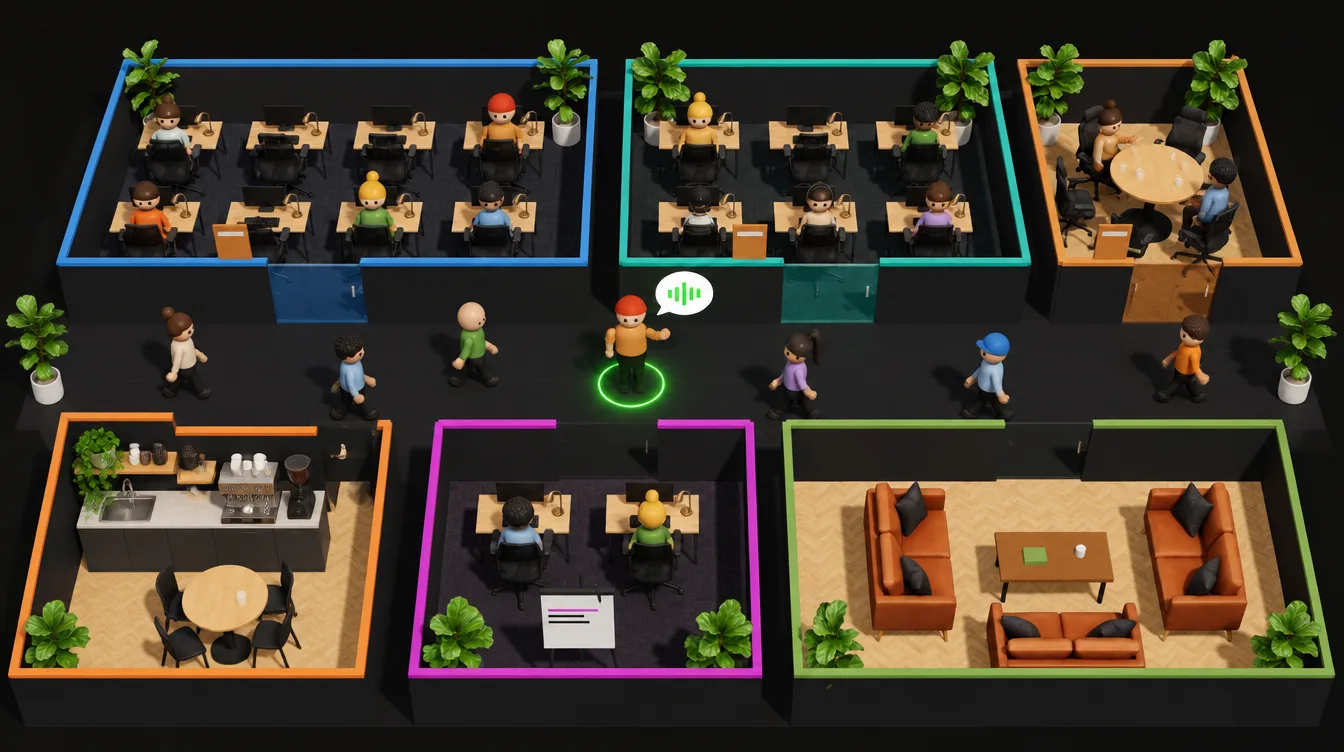
In Luzowork every room is a conversation. You hear whoever is in the same room, and one button lets you join in. No meeting to schedule, no link to send.
Why it works
Within a second
Your mic is already connected. Press the button and your colleague hears you, no call to set up.
The right mode per room
A team room is always-on, the quiet room chat-only. Everyone can adjust it for themselves.
See who’s talking
A green ring on the floor and a speech bubble above the avatar. You always know who you hear.
How it works
- Walk into a room by clicking the floor.
- Talk with the button, the space bar or always-on, depending on the room.
- Click a colleague to talk to just that person.
Good to know
- Four modes: click-to-talk, always-on, direct talk and chat-only.
- Admins set the default per room; every user can override it for themselves.
- You only hear people in the same room.
- Conversations are never recorded.
Included in
- Free included
- Team included
- Business included
- Building included
Indicative. See pricing on the homepage.
Questions
Can everyone in the building hear me?
No, only people in the same room. Direct talk reaches one person.
Do I need a headset?
Recommended, especially for always-on. It prevents echo and background noise.
Try it yourself.
Free for up to 5 users, right in your browser.